Arqor for Architects
From the design and access statement to handover.
Arqor follows the job all the way. It starts with your walk round the site, reads the drawings and drafts the schedule of works, takes it out to tender, and keeps the same project connected through fees, consents, site and handover.
Run the practice and the project in one place.
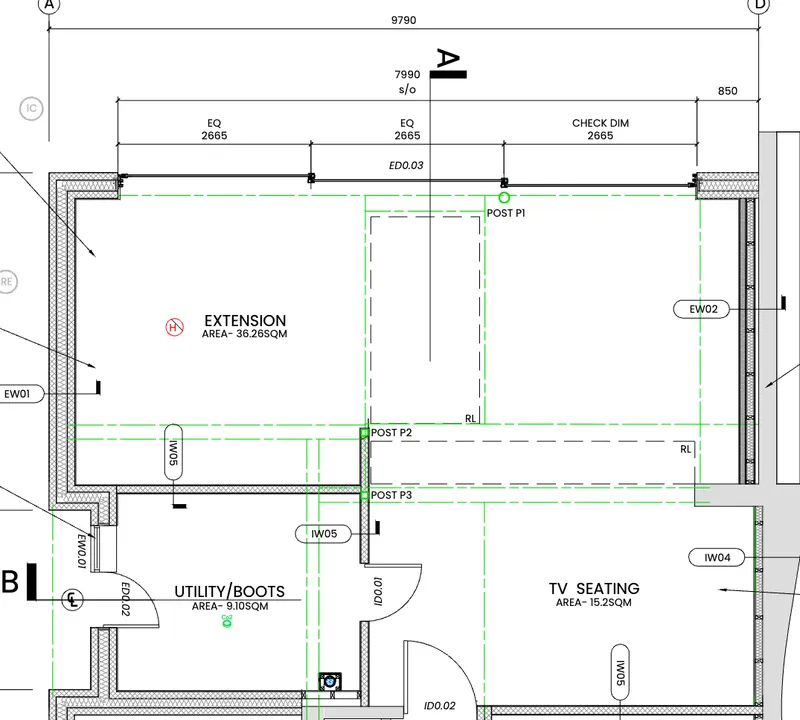
Most practice software starts with the timesheet. Arqor starts with the project.
It reads the information coming into the practice, helps turn it into what you need to deliver the project, and keeps it connected through tender and construction. Then it runs the commercial side of the practice around it.
Talk it through as you walk round.
Open the Arqor app on site, take your photos and say what you see. The walk is recorded with every photo and filed to the project as a Design and access walk, so your photos and notes are on the project before you are back in the office.
- Every photo kept with what you said as you took it
- Where the walk started offered as the site pin, for you to confirm
- A design and access statement started from the walk, reading every photo and the recording
Drafting the statement from your walk is with our design partners now.
Drop in the drawings.
Upload the drawing set and Arqor reads all of it at once. It picks out listed-building and conservation wording from the drawings themselves, so heritage questions surface on day one.
- The whole set read in one go, not sheet by sheet
- Anything it had to assume is marked as assumed
- Nothing is saved until you have checked it
Don’t start every project with a blank document.
From the drawings, Arqor drafts the schedule of works, the room, window and door schedules and the preliminaries, and proposes the quantities with its working shown. You review it, refine it in plain words, and approve it.
- Schedules drafted unpriced, ready for tender
- Preliminaries drafted from your own last set, with blanks listed rather than guessed
- A programme seeded from the schedule, with a link to share
- Design and access and heritage statements checked against the drawings, the list entry and the schedule: every finding marked fix, check or note
Drafting the statements themselves is with our design partners now.
Issue it once. Compare like with like.
The schedule you built goes straight out to tender, with a tender letter, a Form of Tender and the drawing pack. Contractors price it on a link with no account, or upload their own quote.
- Up to ten firms at a time, each on their own link
- Returns side by side, with outliers and unpriced lines flagged and your adjustments applied
- Award it and the winning prices become the contract sum; the others can be told in one go
- Arqor flags and compares. It never tells you who to appoint
The information doesn’t disappear when construction starts.
Site photos land pinned to your drawings, from the builder’s people scanning a QR code on site. Site reports from a voice walk-round, snag lists, instructions and the programme all stay on the same project.
- When the contractor runs the job in Arqor, they can open a portal view for you: costs, programme, photos and documents
- Raise queries there, and certify their applications for payment
- Planning conditions and their discharge, building control and key dates tracked to completion
And it runs the practice around the project.
The fees, time and stages that usually live in separate practice software are on the same project, so the numbers come from the work rather than a spreadsheet.
- RIBA stages on every project, with checklists and internal review gates
- Fees and budget hours by stage, and fee burn valued at the rate when the time was logged
- Timers built for switching jobs, calls logged as time, and a gentle timesheet chaser
- A weekly planner of people, projects and stages
- Invoices drafted from unbilled time by stage, and sent on to Xero
- A practice dashboard: fee burn, work in progress, debtors, tenders out and returns in
- Every planning application tracked from validation, with a chase log
- Email filed to the project, and meetings recorded into minutes and actions
Arqor drafts. Professionals decide. Nothing leaves the practice without your approval.
Early results from practices helping us build Arqor
What used to take days can take hours.
Design and access statement
About 2 days
About half a day
Schedule of works
3 to 4 days
About 1 day
A complex quoting and pricing job
About a working week
About a couple of days
Early observations from our design partners, not a promise. Actual time savings vary by project size, complexity and the way your practice works today.
One project record
The project doesn’t stop at tender.
Arqor is also what contractors and their site teams use. So the same project moves through construction instead of being typed again into someone else’s system.
Architect
Drawings and project information
Arqor
Schedule of works
Tender
Priced by contractors on a link
Contractor
Runs the job in Arqor for Contractors
Site
Teams and subcontractors capture with SiteRecord
Back to you
Evidence, progress and costs, in your portal view
When the contractor runs the job in Arqor, they open a portal view for you. Without that, their site team can still pin photos to your drawings from a QR code.
Pricing
Pricing that scales with your practice.
One platform for the project and the practice, with project drafting included. You pay a licence for each person: an architect licence for the people who design and draft, an office licence for the people who file, invoice and track fees. Prices exclude VAT.
Arqor for Architects
£3,990 a year
That's £333 a month
- · 2 architect licences and 1 office licence
- · Each extra architect licence £950 a year
- · Each extra office licence £390 a year
- · Arqor Smart Email with every licence
- · Onboarding with us
What your practice pays
£6,280 a year
That's £523 a month
Several offices, or more than 20 architects?
Talk to ArqorOn every licence
- Schedules of works drafted from drawings
- Tenders issued, priced on a link and compared
- Design and access and heritage statements checked
- RIBA stages, fees and time
- Weekly planner and practice dashboard
- Consents and planning conditions
- Email and meetings filed to the project
- Xero, and invoices from time
- Site photos pinned to your drawings
- Unlimited clients, contractors and collaborators
The plan grows with the people in the practice, never by cutting out the parts you need.
Want a website too? Arqor has partnered with Darkstar Design, the studio run by Arqor’s founder: a bespoke website you update from the jobs you have finished. See how it works →
Spend less time producing paperwork. Spend more time practising architecture.
See what Arqor can do with the way your practice already works.
Book an Architects demo: leave your email and we’ll arrange a time.
Or email hello@arqor.io
Not a practice? Arqor for Trades and Arqor for Contractors.